
Assembly Simplified: A Barebones PC Configurement Crash Course
Posted by admin on Jan 30th 2026
What is the most valuable component of a workstation? For many, the answer is the desktop computer. This powerful device is where critical tasks and assignments are completed. However, purchasing a fully built PC can be expensive. Sometimes building a barebones PC may be a worthwhile alternative. It’s important to note that “barebones” does not mean “weak” or “inefficient.” instead, a barebones build focuses on the essential components that form the foundation of a capable and efficient PC.
In this article, we will delve into the world of barebones PC configurements. We will provide an in-depth building guide, as well as outlining the different specs and prices to look for.
An In-Depth Barebones PC Building Guide
Building a PC can feel overwhelming initially. However, with proper research, you can develop a clear understanding of each component and its functionality within the system. This makes selecting and installing parts a much more manageable task.
The primary components of a barebones PC include:
- Motherboard– this is the circuit board of a PC where other components are attached. Depending on the motherboard, certain components may or may not be compatible.
- Chassis– otherwise known as a computer case, this is the housing that stores all of your PC parts.
- PSU– this converts and distributes power to various PC parts. It is essential to have a PSU that is 80-plus certified.
Since a barebones PC is only partially assembled, you will need to purchase the other remaining components. These include:
- Central Processing Unit (CPU)– this is the primary processor of a computer. It allows for functioning and task completion.
- Random Access Memory (RAM)– this is the temporary storage system for in-use applications. Higher RAM allows for greater multi-tasking abilities as you can efficiently run multiple applications simultaneously.
- Storage Drive– this is how much data the PC can hold. For modern computers, it is best to buy a Solid State Drive (SSD) as they are faster and lighter than standard hard drives.
- Video Card– is what allows users to access images and videos on their monitor. A higher-end graphics card is vital for work in gaming, graphics, or video editing.
Different Specifications and Prices for a Barebones Computer
There are different levels for each PC component. Depending on your task requirements, you may want to purchase higher-end components.
Your CPU will either be Intel or AMD. In general, Intel i5 or higher is suitable for most workstations. For AMD, this would be equivalent to a Ryzen 5 5600X or better.
As it pertains to RAM, the standard today is 16GB. However, if you are running intensive applications, then 32 or 64GB would be more suitable.
Typically, for SSD storage, either 500GB or 1TB of space is sufficient.
Lastly, your video card is fully dependent on usage requirements. An NVIDIA RTX 3060 or AMD Radeon RX 6500 XT will be able to support smooth 1080p video and graphics.
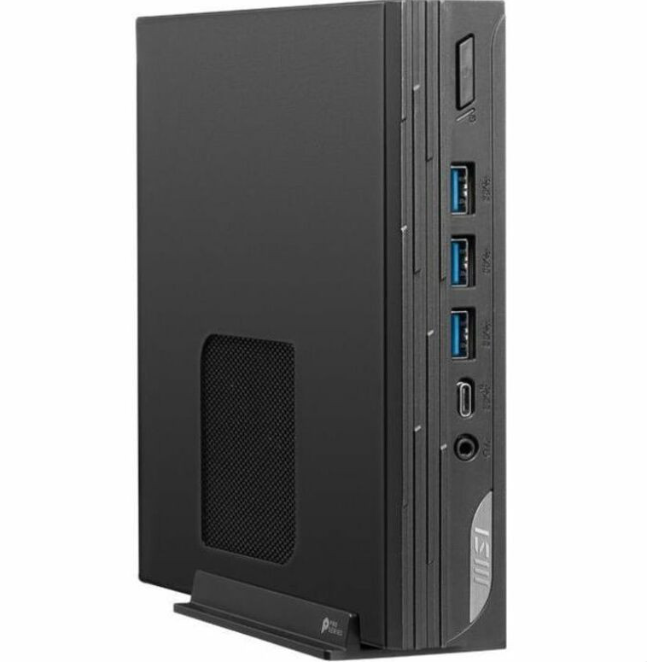
If you are interested in buying a pre-built barebones PC, Rackfinity offers the MSI-PRO DP10 13M–021BUS. This includes an Intel i7 13th-Gen processor, 64GB of RAM, and Intel Iris Xe graphics.
Elevate Your Business with Rackfinity
With our help, you can elevate your business above the competition. For over a decade, Rackfinity has assisted in modernizing workplaces with fast and powerful IT equipment. This includes items like monitor displays, rack enclosures, and networking accessories.
We also offer customized equipment installation services. Our experts can assemble your equipment to best fit your workspace.
For more information, please contact us at 1-800-944-0338. These calls should be for sales and customer support only. We would love to work with you.