
Beyond the Switch: Essential KVM Accessories for Multi-Computer Workstations
Posted by admin on Nov 14th 2026
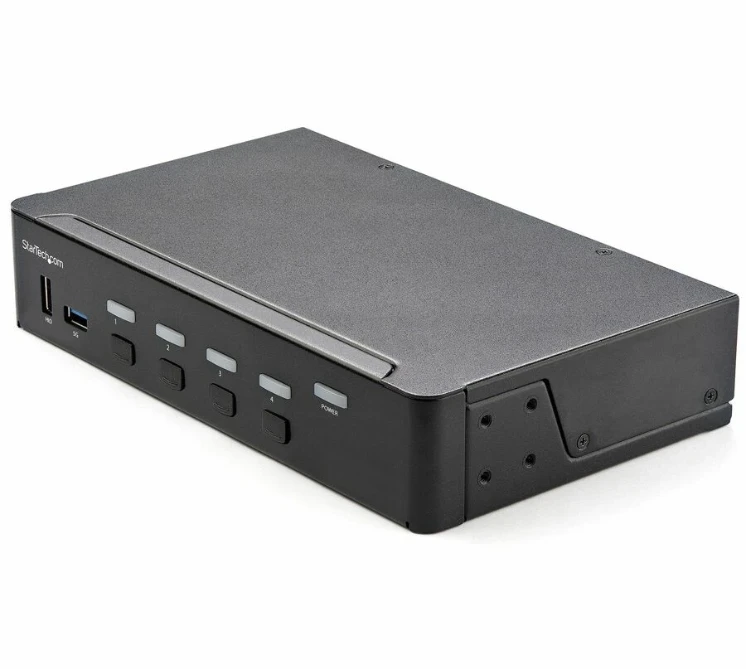
Setting up a workstation with multiple computers sounds pretty simple. You have several computers, a shared set of monitors, one keyboard, and one mouse. The natural starting point is choosing a KVM to route signals across each computer without having to swap all of the plugs by hand. Yet technicians and system operators find out quickly that plugging in the switch itself is only a small part of the full setup. The cabling, power delivery, adapters, and mounting hardware all decide whether that workstation runs reliably or turns into a tangled mess of disconnected displays and input errors.
Understanding how KVM accessories complete the installation turns a basic switch into a dependable operational station.
Managing Cabling for High Resolution and Dual Displays
The most common source of trouble in any setup involves the cables connecting computers to the switch. When operators run a KVM switch dual monitor configuration, the number of cable runs doubles immediately. Running two display cords, a USB cable, and sound leads for every computer creates bulky bundles that constantly pull on connection ports.
Using cheap cables or mismatched adapters causes screens to go black without warning, jumpy picture issues, and computers failing to pick up your commands. A reliable deployment requires matched length cables that carry high resolution video without signal loss. Combination cables group USB and video signals together into a single cord, cutting down bulk behind your devices and inside server cabinets. Support brackets and flexible cable guides hold those thick bundles in place so moving the gear around won’t accidentally unplug a cord.
Securing Hardware and Reclaiming Desk Space
Placing a KVM switch right on the work surface works for a quick trial run, but a real setup needs the hardware bolted down securely. Loose hardware tends to get knocked around, catches loose cords, and gathers dirt. Rack shelves, mounting brackets, and vertical rail brackets keep the switch stable and out of the way. In busy control rooms or testing areas, bolting the unit right to a metal rack frame keeps all your plugs safe from getting bumped.
Pair that with proper power distribution units so your switch and extra devices have enough plug in space. Big power plugs sagging from flimsy power strips can easily come loose, instantly cutting power to all your computers.
Extenders, Converters, and User Controls
Not every machine can sit right next to the operator console. In many facilities computers stay secured inside a server room while users need complete control from a quiet room down the hall.
This distance requires signal extenders using standard data cables to cover long distances without screen delays. Simple plug adapters also solve the headache of connecting modern monitors to older computer ports. Small desktop clickers or foot pedals give operators quick control right at their seat, so nobody has to lean over or open a metal cabinet just to switch screens.
Solving Logistics and Deployment Shortages
Getting a multi computer workstation set up usually means running into delays during the ordering process rather than the planning. Buying cords, brackets, and plug adapters from several separate manufacturers leads to shipping delays. If your main switches show up on time but the right display adapters or power cords take weeks to arrive, workers get stuck waiting around unable to finish the job.
Rackfinity works with enterprise teams and facility managers as a dependable infrastructure sourcing partner. By stocking hardware directly from original equipment manufacturers and stocking essential physical hardware, Rackfinity helps organizations avoid delivery complications.
Build a Reliable Workstation Setup
Getting multi system hardware to work together comes down to having the right physical accessories in place before deployment begins.
The teams that get this right are the ones that plan the small parts as carefully as the big ones. Rackfinity helps organizations do exactly that, pulling switches, cables, adapters, and mounting hardware together so nothing holds up the install. If your team is expanding a network operations room or planning a new staging area, the Rackfinity team is always happy to talk through what has worked for others in the same position.