
Cross-Functional Computing: How an HP Chromebook Adapts Across Departments
Posted by admin on May 3rd 2026
A key feature of IT equipment is versatility. Ideally, your workplace equipment should be able to function in different settings and environments. This holds true for the HP Chromebook, an affordable and worthwhile laptop for daily task completion. Lightweight and easy to use, HP Chromebooks are ideal for general workplace tasks.
This article will delve into the exciting world of HP Chromebooks. We will also discuss why they’re worth buying and the different features you should look for.
Why HP Chromebooks are Worth Buying
First introduced in 2011, the Chromebook is a Chrome OS-only compact laptop designed for simplified use and optimized web access. Two years later, HP released its version of the Chromebook. In the following decade, HP became the leading manufacturer of these devices. Due to their high performance and build quality, HP Chromebooks are an excellent way to complete everyday tasks with smooth connectivity and seamless online integration.
Now you may be wondering, “That sounds great, but why are HP Chromebooks specifically worth buying?” To answer that question, it is important to consider three primary factors: cost, build, and compatibility.
HP Chromebooks are quite affordable, especially compared to other laptops and operating systems. Depending on the specifications, laptops can cost over $1000. Based on your usage requirements, that may not be a price worth paying. Alternatively, HP Chromebooks are usually within $400. As it relates to price-to-performance, these laptops are very cost-effective.
HP Chromebooks feature a durable and lightweight build quality. HP products are well-regarded for their design and longevity. In addition, Chromebooks tend to be smaller than other laptops, allowing for greater portability.
These laptops also have impressive compatibility and ease-of-use. HP Chromebooks are essentially plug-and-play devices. Initial setup is fairly simple and does not require significant time or energy. ChromeOS includes a simplified UX with features like the “Everything Button,” which streamlines apps, files, and documents. HP Chromebooks also support Android and Linux-based apps. This allows for greater usage possibilities and customization options.
Important Features in Chromebook Laptops and What to Look For
The first feature to consider in a Chromebook is display size. This will impact how portable the laptop is. Most Chromebooks range from 11.6” to 15.6”.
Next, it is important to think about storage and RAM. For those unaware, there is a difference between storage and RAM. Storage is the total amount of data, in gigabytes, your laptop can contain. RAM, short for Random Access Memory, is short-term memory that allocates data for programs and applications.
Typically, 4GB of RAM and above is suitable for Chromebooks. In addition, 128 GB of storage or 32GB of flash storage allows for sufficient data capacity.
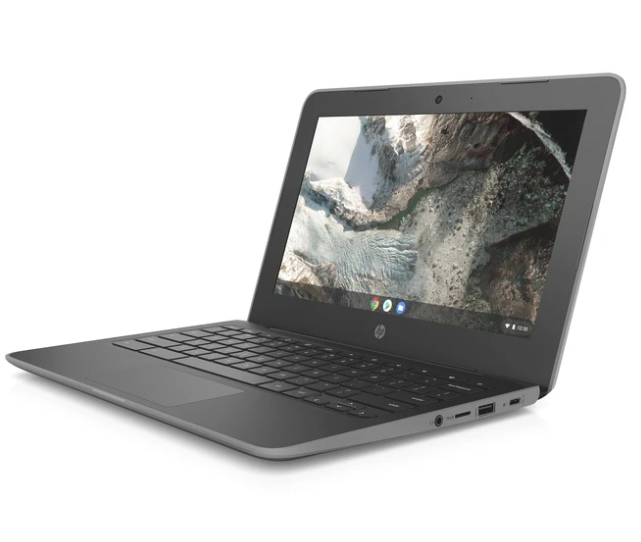
Rackfinity offers a great collection of Chromebooks, including the HP Chromebook 11 G7 EE. This is a portable, lightweight, and easy-to-use device that is perfect for routine tasks. The HP Chromebook 11 G7 EE features an impressive 13 hours of battery life, up to 8GB of RAM, and 64GB of Flash Storage, and is priced affordably at $336.95.
Learn More with Rackfinity
For more than a decade, Rackfinity has aimed to provide excellent workplace tech for all types of businesses. These include items such as server racks, networking equipment, desktop computers, and monitor displays.
We also provide custom installation services. All you need to do is provide an office location and schedule an appointment time, and we will get your products installed in no time.
To learn more, please contact us at 1-800-944-0338. Our office hours are 9 AM - 5 PM CST from Monday to Friday. We would love to hear from you.