
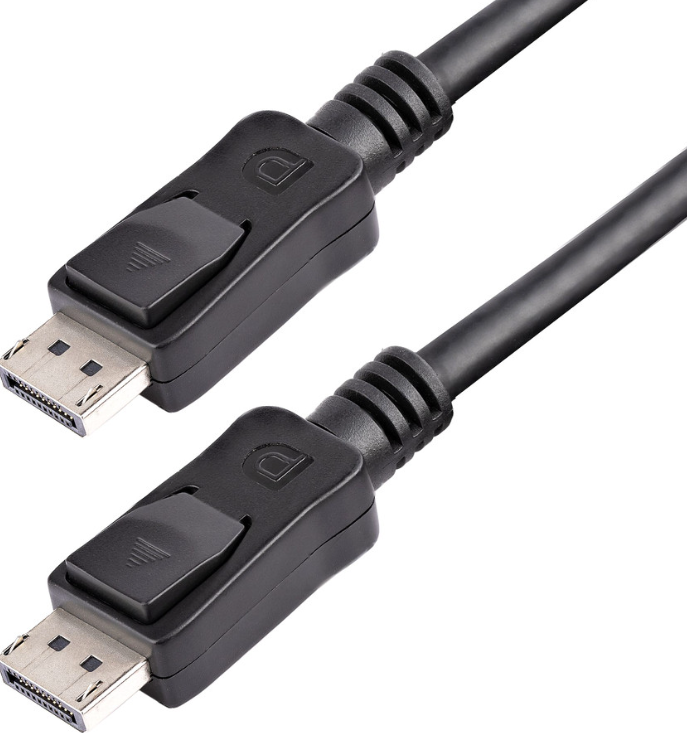
DisplayPort 2.1 vs 1.4 vs 1.2: What Actually Matters When Choosing a Cable
Posted by admin on Jul 19th 2026
Imagine you’re a systems administrator or a DevOps engineer rolling into a Monday morning. The production servers just went through an automated update over the weekend, and suddenly, monitoring alerts are lighting up your dashboard. Users are reporting that a critical internal web application is showing error codes and failing to load.
You open up your terminal, pull up the configuration files, and realize you need to quickly diagnose if the issue is a breaking architectural change, a minor version mismatch in the application, or a tiny patch that introduced a bug.
To pinpoint exactly what went wrong, you need to understand the structural weight of specific version updates.
Hardware standards follow a strict path where choosing the wrong version breaks the system. This exact issue happens often in server rooms when connecting high density displays. Choosing the right displayport cable should be a simple task. You buy a cable, plug it in, and your monitor turns on. However, matching your hardware with the correct cable is extremely important for technical environments, control rooms, and data centers.
Using the wrong generation of cable can cause screen flickering or low quality resolution. Let us look at the real world differences between a displayport 2.1 cable, version 1.4, and version 1.2 options to see what you need for your hardware.
DisplayPort 1.2: The Legacy Standard
Introduced to the industry over a decade ago, a displayport 1.2 cable remains extremely common. For standard office workstations, older server racks, or basic monitoring terminals, version 1.2 gets the job done. If you are just tracking text logs or staring at a command line all day, you don’t need to invest money on newer versions. But if your team is running multi screen monitoring setups or needs high resolution displays to track live data, you may want to consider an upgrade as the 1.2 may cause you some technical issues.
DisplayPort 1.4: The Modern Enterprise Baseline
The displayport 1.4 is the standard for most enterprise environments. Engineering workstations, extensive command centers, and multi screen setups rely heavily on version 1.4. It offers the stability required for daily operation without the premium price tag of the newest version. It handles high pixel density and high resolution easily, making text sharper and reducing eye strain for those monitoring screens for long shifts.
DisplayPort 2.1: Built for the Future of Data Centers
The newest standard is the displayport 2.1 cable. Although few standard office setups need this level of capability, the version 2.1 is designed for next generation data centers, advanced simulation labs, and high end visualization workstations. If your facility is procuring the latest enterprise graphics cards and high density displays, upgrading to version 2.1 cables prevents your wiring from limiting your hardware's performance.
The DisplayPort to HDMI Cable Dilemma
In workplaces that contain mixed hardware, you often need to connect a displayport source to an HDMI monitor. This requires a reliable displayport to hdmi cable.
It’s important to keep in mind that these cables are typically directional. They send the signal from a displayport computer output to an HDMI display input, not the other way around. For data centers managing a mix of displays and modern servers, keeping these conversion cables in stock is necessary for daily maintenance and tasks.
Procurement for Technical Environments
When sourcing hardware and cabling for data centers or server rooms, reliability is everything. At Rackfinity, we act as a trusted hardware procurement partner for you and your business. We can meet all your needs when it comes to supplying technical hardware, infrastructure components, and high volume cabling to keep your systems running.
Whether your facility is updating legacy server racks with displayport 1.2 cable replacements or managers are ordering bulk displayport 2.1 cable batches for next generation data centers, getting the exact specification matters. Choosing the right cable prevents costly technical issues and ensures your monitors perform exactly as intended.