
Logitech Keyboards Deep Dive: Which Type is Best For Your Business?
Posted by admin on Feb 6th 2026
If you work at a computer all day, your keyboard is a vital, but perhaps overlooked, tool. Choosing the right keyboard for your work habits can make a significant difference in both your performance and comfort. Logitech keyboards are a trusted brand that offer high-quality, durable performance with a wide range of design options.
If you’re in the market for a new keyboard, Logitech could be the right brand for you. Here is an overview of the different types and the best features available on Logitech keyboards.
Different Types of Logitech Keyboards
Mechanical Keyboards vs. Scissor-Switch
There are several different types of mechanisms that keyboards can use for their keys. But the two main options, especially for Logitech keyboards, are mechanical and scissor-switch keyboards.
The difference between these keyboards is in the mechanism beneath the buttons you push on the keyboard. Mechanical keyboards have raised buttons and use individual switches underneath each key, which improves durability and can be better for typing precision and customizability.
Scissor-switch keyboards use a small scissor-like switch, which allows the keys to be smaller for a more compact design, faster typing speeds, and quieter typing. Scissor-switch keyboards are usually found on laptops, but are also available in standalone models.
Wireless vs. Wired
Another key difference to consider when choosing the right Logitech keyboard is whether you want a wired or wireless model. Logitech wireless keyboards rely on a battery charge, but are easier to transport. They also offer greater flexibility and comfort, as you can type from anywhere as long as the keyboard is within range to be connected to your device.
Some people prefer wired keyboards as they can be easier to set up and have a lower risk of technical issues.
Logitech Wireless Keyboard Features
Ergonomic Designs
Logitech keyboards come in a range of designs to help maximize comfort, durability, and easy transportation for a variety of needs. Models like the Logitech Wave Keys MK670 mechanical keyboard are designed for maximum comfort during long days of typing. Or you could choose a model like the Logitech K780 for a more compact and lightweight design.
Customizable Keys
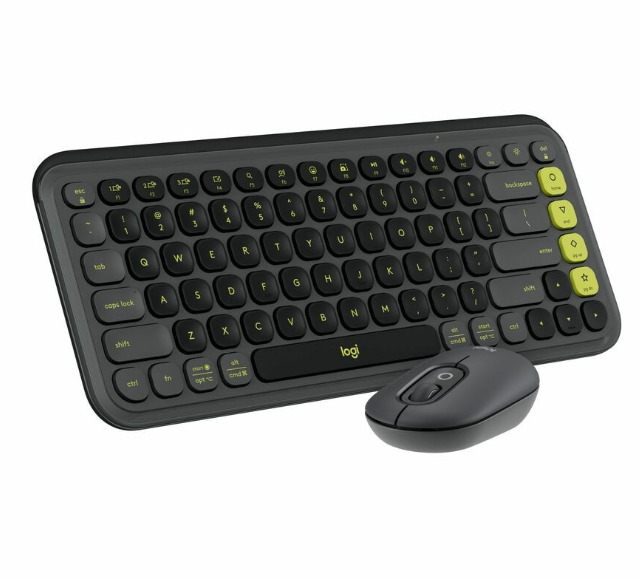
For more advanced keyboard work, customizable keys can be a necessity and a major time-saver. Logitech keyboards like the Logitech POP ICON Bluetooth Keyboard offer programmable keys so that you can set up custom functions with ease. This scissor-switch model is also designed for maximum comfort and is highly versatile thanks to its Bluetooth connection and slender frame.
Performance & Precision
No matter what style of Logitech keyboard you choose, each model is designed to maximize typing precision. Ultimately, this may come down to personal preference. Some people are more accustomed to the raised keys of mechanical keyboards and find them more comfortable to work with. Others prefer the typing speed and quiet sound of scissor-switch keyboards.
How to Connect a Logitech Keyboard to Your PC
If you’ve never used a wireless keyboard, you may be wondering how to connect your Logitech keyboard to your PC. Logitech wireless keyboards use Bluetooth connection to sync devices. To connect your keyboard, you will need to enable Bluetooth settings on your PC to find the device, and then follow all instructions from there.
Find the Best Logitech Keyboards at Rackfinity
You spend a lot of time working with your keyboard, so it’s important that you understand the best options for you. If you still have questions about how to choose the right Logitech keyboard for your business needs, Rackfinity can help.
We offer great deals on all the best Logitech keyboards, and our expert IT team can help you find the right keyboards for your business needs.