
Small Size, Large Impact on Network Performance: The 5-Port Switch Effect
Posted by admin on Mar 6th 2026
For any modern business, optimizing your networking setup is essential. This involves enhancing connectivity through the right accessories and attachments. A 5-port switch, for example, provides a simple way to connect multiple devices while keeping your network organized. In addition, these switches help reduce cable clutter, preventing tangled wires and minimizing tripping hazards in the workspace.
In this article, we will tell you everything you need to know about 5-port network switches and how you can find the right item for your workspace.
Everything You Need to Know about the 5-Port Network Switch
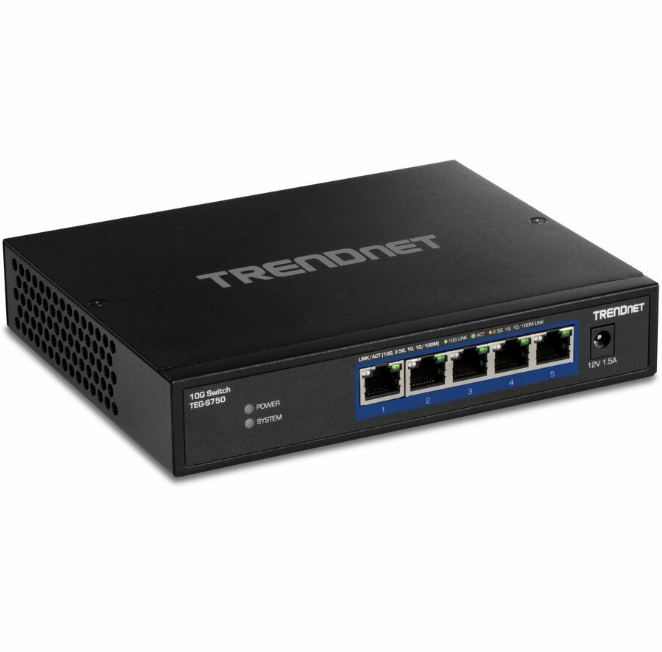
A 5-port network switch is a compact item that allows individuals to connect different devices through a Local Area Network (LAN). Unlike Wi-Fi, this is a direct connection that allows for faster and smoother data transfer.
Why is this important?
For businesses using multiple devices, a network switch provides an efficient way to allocate bandwidth without congestion or lag. Depending on the model, each port can deliver up to 1 Gbps, whereas a wireless network may only provide 1 Gbps shared across all devices.
With a 5-port switch, you can optimize your network connection, ensuring that essential devices receive maximum speed and bandwidth. Many switches require no manual configuration, making setup simple. While basic installation is necessary, it generally takes minimal effort. These devices are essentially plug-and-play and ready to use immediately after setup.
To use the 5-port network switch, follow these simple steps:
- Unbox the item and confirm that the user manual and cables are present.
- Set an installation location. Ideally, this offers sufficient ventilation and is accessible to your network devices.
- Power on your switch and begin connecting devices to the ports using ethernet cables. There should be lights indicating that the switch is running properly. If not, check your user manuals for troubleshooting steps.
- Test each connection and verify that data transfer functions at optimal speeds.
How to Find the Right 5-Port Ethernet Switch
With many different options to choose from, finding the right 5-port ethernet switch for your workplace can feel overwhelming. However, if you know what to look for, you can choose the ideal switch for your office.
A primary factor is speed. A gigabit transfer speed is standard for most ethernet switches making them relatively affordable. However, if you need to use high-power devices with larger data transmission, then it may be worth purchasing a faster network switch.
Another equally important factor is build durability. A poorly-manufactured network switch isn’t reliable and can require additional repair or replacement fees. Always opt for an item designed by a reputable manufacturer.
Security is also essential. Power over Ethernet (PoE) is a safer and more reliable option as it requires less cables and wires.
Rackfinity offers a great selection of 5-port network switches, including the TP-Link 5-Port Gigabit Easy Smart Switch. This device provides optimal speed and security. The TP-Link switch features 1 Gigabit Ethernet Network Slot and 4 Gigabit Ethernet PoE+ Slots. PoE+ doubles the speed of a standard PoE slot, providing 30W of power per port.
Learn More with Rackfinity
At Rackfinity, it is our mission to help modernize businesses with fast and powerful workplace technology. As a trusted reseller, we only partner with reliable and reputable manufacturers such as Dell, Ergotron, and HP. This guarantees that our valuable customers receive high-quality and durable products.
We also provide custom installation services. All you need to do is provide an office layout and preferred appointment time and we do the rest so you can focus on your business.
To learn more, please contact us by completing a short form or call 1-800-944-0338. Our office hours are 9AM-5PM CST. These calls should be for sales and customer support only.