
USB-C to HDMI Adapters: The Key to Optimized Multi-Monitor Setups
Posted by admin on Mar 14th 2026
What does your desk setup look like? For many, a modern workspace includes multiple monitors. While this setup boosts productivity, it can sometimes create connectivity challenges. USB‑C to HDMI adapters provide a simple solution, allowing you to connect multiple monitors to a single desktop. With this setup, you can run different programs on separate screens seamlessly, creating an optimized and efficient workspace.
This article will tell you everything you need to know about USB-C, why it’s worthwhile, and how you can purchase the right USB-C to HDMI adapter for your desktop.
What is a USB-C? What Makes it Worthwhile?
Originating in 1996, the first Universal Serial Bus (USB), was released to connect with computers with accessories such as keyboards and monitors. The first two models, Type A and Type B offered speeds up to 1.5 Mbps. While this may seem comically slow to today’s standards, it was the fastest method of data transfer available to everyday consumers at the time.
Following two decades of innovations and upgrades, USB 3.2 and the Type C port was revealed in 2017. Compared to previous USB 3.1 Gen 1 and Gen 2 models which provided speeds of 5Gbps and 10GBps respectively, USB C featured 20Gbps of transfer speed.
Over the years, USB C has become the standard port for chargers and cable connection. In 2022, the USB 4 V2 was released, offering connection speeds of 80Gbps.
Now, what makes USB C worthwhile?
The USB C is considerably faster than other ports or lightning cables. For example, USB-C supports up to 240W of power. You can charge a laptop from 0% - 100% within an hour. USB-C features a reversible design, as well. This allows users to plug in devices in any order without risk of damaging the cable or the device.
USB-C is functional with different cables, such as HDMI, DisplayPort, and Thunderbolt. This is very user-friendly, as you will not need to worry about compatibility concerns or purchasing separate cables.
How to Find the Right USB-C to HDMI Adapter
Most modern laptops focus on remaining lightweight and portable. As a result, these devices are often missing HDMI ports. This can be fairly troublesome as all external displays utilize HDMI or DisplayPort.
Thankfully, there is a solution. There are USB-C to HDMI adapters. As the name implies, you plug the USB-C port into your laptop or tablet, and then insert the HDMI into your external display. By doing so, you can connect your laptop to a monitor for better viewing experiences.
So the question remains: How can you find the right USB-C to HDMI adapter for your desk setup?
First, you will need to confirm viewing resolution and transfer speeds. If you have a high-end monitor, it is worth purchasing an adapter that supports 4K/60Hz connection. You must also verify that your display’s HDMI port is compatible with the adapter.
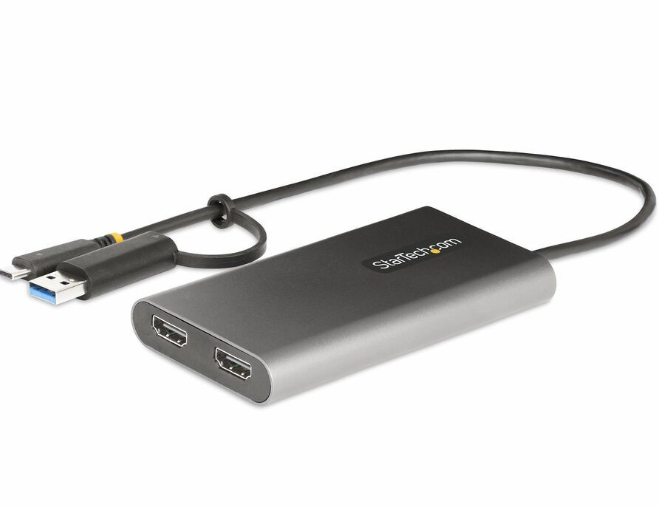
Those looking for a high-quality USB-C to HDMI adapter should consider the StarTech.com USB-C to HDMI Adapter Cable. This product features top connection speeds of 8K/60Hz or 4K/144Hz and it supports HDR10. You are not only receiving industry-leading resolution and refresh rate, but also crisp and vibrant image quality.
Why You Should Partner with Rackfinity
Why should businesses partner with Rackfinity? The answer is simple: our dedication to success. We offer an excellent selection of workplace tech, including: desktops, monitors, and server racks.
Furthermore, we provide custom design and installation services. Once you provide an office layout and appointment, our experts will assemble your products safely and efficiently so you experience minimal downtime.
For more information, please contact us by filling out a short form or give us a call at 1-800-944-0338. We would love to work with you!